
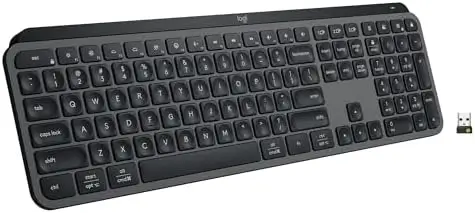
The Logitech MX Keys S is a wireless keyboard designed for people who spend long hours typing, working across multiple devices, and managing demanding digital workflows. With its low-profile design, laptop-style keys, smart backlighting, multi-device connectivity, USB-C charging, and customizable productivity features, it aims to make everyday computer work faster, quieter, and more comfortable.
Rather than focusing on flashy extras, the MX Keys S is built around practical improvements that can make a noticeable difference during a typical workday. Its combination of a solid construction, precise key design, intelligent illumination, and flexible connectivity makes it particularly well suited to professionals, students, creators, and anyone who wants a clean and efficient desktop setup.
A Fluid and Precise Typing Experience
Typing is the most important part of any keyboard, and the MX Keys S puts considerable attention into the feel of every keystroke.
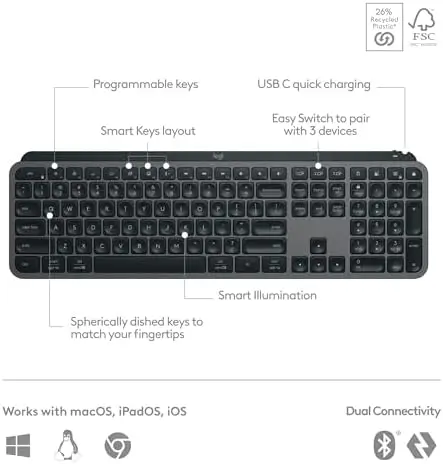
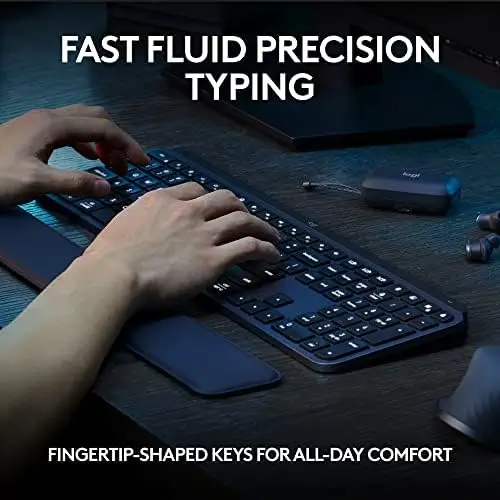
The keyboard uses a low-profile, laptop-style design with spherical-dished keys shaped to follow the natural shape of your fingertips. This helps provide a more precise contact point when typing, making the keys feel intuitive and controlled.
The result is a typing experience that feels fast, fluid, and consistent. The low-profile layout also reduces the amount of movement required between keystrokes, which can be particularly appealing to people who are accustomed to modern laptop keyboards but want a more substantial desktop keyboard.
Another benefit is reduced typing noise. The MX Keys S is designed to provide a quieter typing experience, making it a good choice for shared offices, home workspaces, libraries, and other environments where excessive keyboard noise can become distracting.
For writers, programmers, office workers, students, and anyone who spends hours entering text, the combination of precision and quiet operation is one of the keyboard’s strongest qualities.
Smart Backlighting That Responds to You
The MX Keys S features smart backlighting that goes beyond simply turning the keyboard lights on or off.
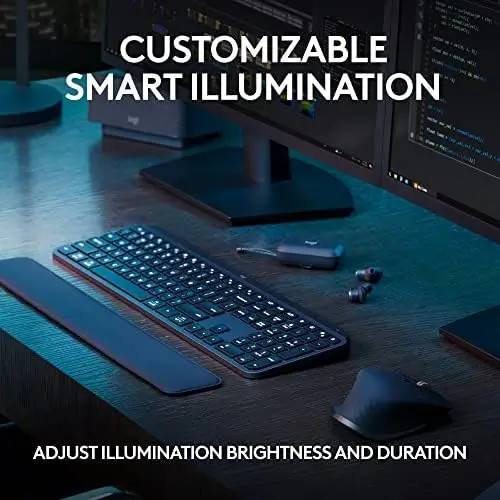
The keys illuminate as your hands approach the keyboard and automatically adapt to the surrounding environment. This creates a more intelligent lighting experience and helps ensure that the keys remain visible when the workspace becomes darker.
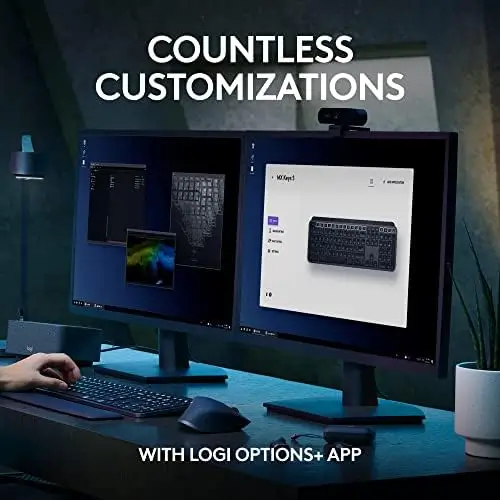
The backlighting can also be customized through Logitech’s Logi Options+ application. This gives users additional control over how the keyboard behaves and allows them to tailor the lighting experience to their workspace and preferences.
View on Amazon
The hand-detection feature is especially useful because the illumination is designed to activate when needed rather than simply remaining on continuously. This can make the keyboard feel more responsive while also contributing to efficient power usage.
For people who regularly work in different lighting conditions, this adaptive approach is considerably more convenient than manually adjusting keyboard illumination throughout the day.
Smart Actions Can Simplify Repetitive Work
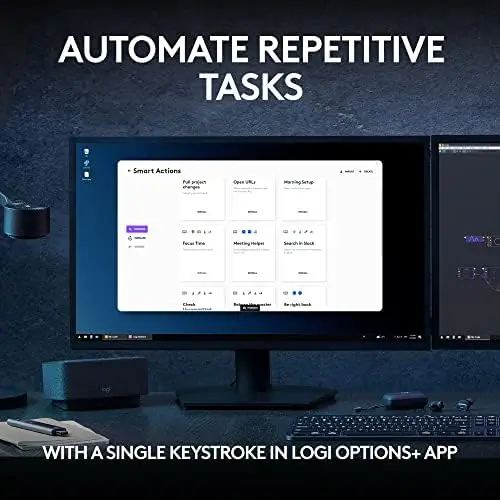
One of the most useful productivity features is Smart Actions support through the Logi Options+ application.
Smart Actions allow users to create shortcuts capable of performing multiple actions with a single keystroke. This can be particularly valuable when a workflow involves repetitive sequences.
For example, instead of performing several individual steps to prepare a workspace or launch commonly used tools, a customized shortcut can help automate part of the process.
The feature is especially relevant for users who work with recurring tasks. Professionals often repeat the same actions dozens of times throughout a week, and simplifying those routines can save time while reducing unnecessary interaction with menus and applications.
The ability to create and share Smart Actions also adds flexibility. Instead of being limited to the keyboard’s default functions, users can configure the MX Keys S around the way they actually work.
This makes the keyboard more than a typing device. With the right setup, it becomes part of a broader productivity system.
Comfortable Low-Profile Design
Long typing sessions can place considerable stress on the hands and wrists, which makes keyboard design an important consideration for anyone working at a computer for extended periods.
The MX Keys S uses a low-profile construction combined with an optimized keyboard angle. This positioning is designed to provide a more comfortable typing posture and support better wrist positioning during extended use.
Its solid construction also gives the keyboard a stable and substantial feel on the desk. It is designed to stay firmly positioned while typing rather than feeling overly lightweight or unstable.
The low-profile design contributes to a clean appearance while also keeping the keys relatively close to the desk surface. For users transitioning between a laptop and desktop workstation, this can make the MX Keys S feel immediately familiar.
The result is a keyboard that balances a slim, modern profile with the stability expected from a dedicated desktop peripheral.
Connect Up to Three Devices
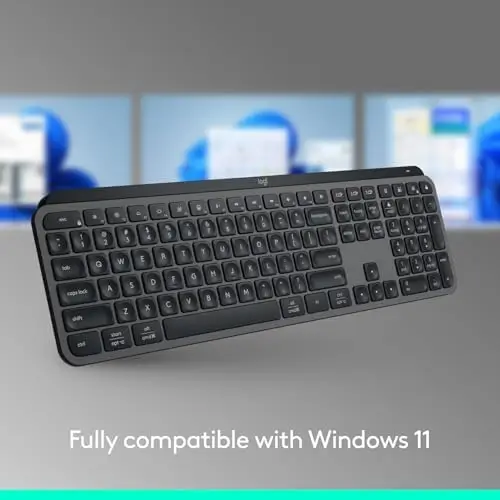
Multi-device connectivity is another major advantage of the MX Keys S.
The keyboard can pair with up to three devices, allowing users to move between computers without needing a separate keyboard for each system.
This is particularly useful for people who work with multiple computers, such as a desktop workstation and a laptop. Instead of physically disconnecting and reconnecting the keyboard, users can switch between paired devices as needed.
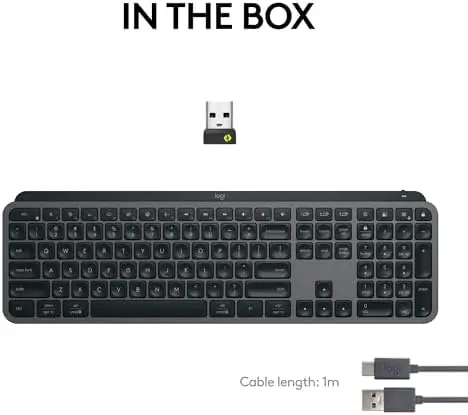
The MX Keys S supports Bluetooth Low Energy and also includes a Logi Bolt USB receiver. This provides flexibility depending on the computer and setup being used.
The multi-device capability is also useful in professional environments where switching between different systems is part of the daily workflow. It can help reduce desktop clutter while making a single keyboard more versatile.
Broad Operating System Compatibility
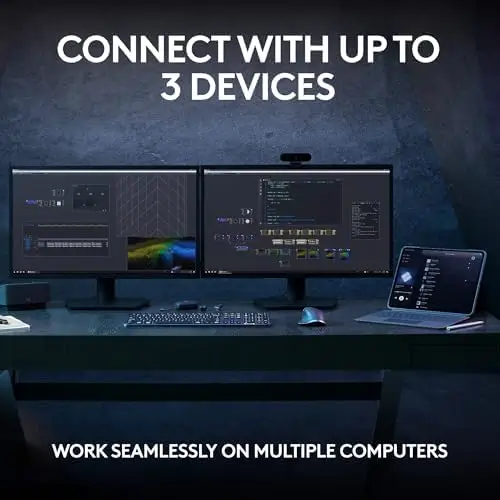
The keyboard is designed to work across multiple operating systems, including Windows, macOS, and Linux.
This broad compatibility makes it suitable for users who do not rely on a single platform. Someone who uses one operating system for work and another for personal projects can maintain the same keyboard rather than having to adjust to completely different layouts and typing experiences.
The ability to pair multiple systems also complements the keyboard’s multi-device design. Together, these features make the MX Keys S a flexible choice for modern workstations where multiple platforms may coexist.
USB-C Rechargeable Battery
The MX Keys S uses a rechargeable battery and includes a USB-C charging cable.
With backlighting enabled, the keyboard can remain powered for up to 10 days on a full charge. When the backlighting is turned off, battery life can extend significantly, reaching up to five months according to Logitech’s specifications.
This provides users with two practical approaches. Those who prefer the convenience and visibility of illuminated keys can use the smart backlighting without needing to recharge constantly, while users who prioritize maximum battery longevity can disable the lighting.
USB-C charging is also convenient because it has become a standard connection for many modern devices. It helps keep the keyboard compatible with contemporary desk setups and reduces reliance on older charging standards.
The combination of long battery life and rechargeable operation means the MX Keys S can remain a dependable part of a workstation without requiring frequent attention.
Works Especially Well With Logitech MX Mice
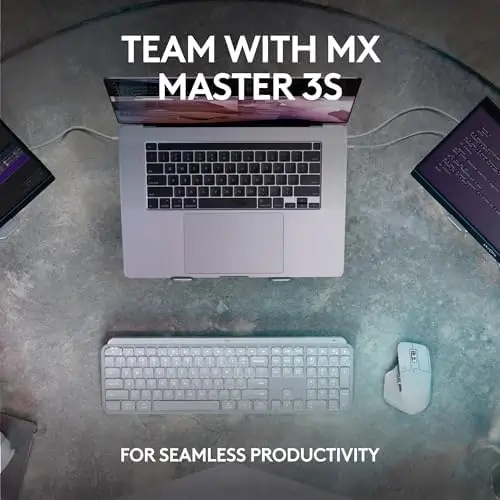
The MX Keys S becomes even more useful when combined with a compatible Logitech MX wireless mouse.
Through Logi Options+, users can create a cohesive setup designed around multiple computers. When paired with an MX mouse such as the Master 3S, the keyboard and mouse can work together across up to three computers.
The ability to transfer text and files between compatible Windows and macOS computers can be particularly useful for people who regularly move information between systems.
This makes the MX Keys S an appealing centerpiece for a multi-computer workspace. Instead of maintaining separate input devices for every machine, users can build a streamlined setup around a single keyboard and mouse combination.
For professionals working across different platforms, this can help reduce clutter and make switching between systems feel much more natural.
Thoughtful Use of Recycled Materials
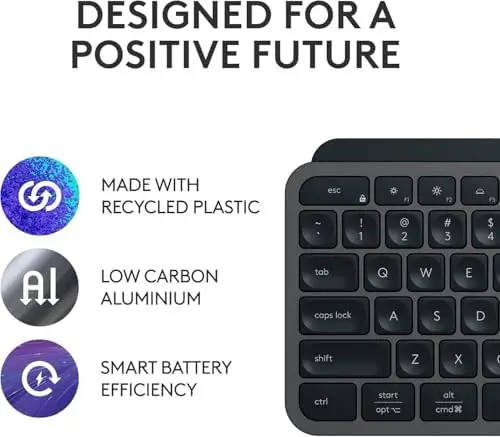
The MX Keys S also incorporates certified post-consumer recycled plastic into its construction.
The Graphite version includes 26% recycled plastic in its plastic components, according to the provided specifications. This gives the keyboard an additional sustainability-focused aspect without changing its core productivity features.
For users who consider material choices when purchasing technology, the use of recycled plastic is a welcome addition. It reflects a broader move toward incorporating more recycled materials into everyday electronics and accessories.
The keyboard’s solid construction also complements this approach, as a durable peripheral designed for regular use can be a practical long-term addition to a workstation.
Who Is the Logitech MX Keys S Best For?
The MX Keys S is particularly well suited to people who spend substantial amounts of time typing or working across multiple computers.
Writers can benefit from the precise and quiet key feel, while programmers and office professionals can take advantage of customizable shortcuts and multi-device functionality. Creators may appreciate the ability to configure Smart Actions around frequently repeated workflows.
It is also a strong choice for people who move between Windows and macOS or who maintain both a desktop and laptop as part of their workflow.
Even for general users, the keyboard offers a combination of comfort, clean design, wireless flexibility, and intelligent backlighting that makes it easy to integrate into a modern workstation.
Final Verdict
The Logitech MX Keys S is a thoughtfully designed wireless keyboard that focuses on the aspects that matter most during everyday computer use: comfortable typing, precision, quiet operation, smart illumination, reliable connectivity, and productivity.
Its laptop-style low-profile keys provide a familiar and fluid typing experience, while the spherical key design helps create a more precise feel. Smart backlighting adds convenience in changing lighting conditions, and the Logi Options+ software expands the keyboard’s capabilities through customizable lighting and Smart Actions.
The ability to connect up to three devices is another major advantage, particularly for users who regularly switch between computers or operating systems. Bluetooth Low Energy and the included Logi Bolt receiver provide additional flexibility, while USB-C charging keeps the keyboard compatible with modern setups.
Battery life is also well suited to everyday productivity, with up to 10 days of operation with backlighting enabled and up to five months with the lighting turned off.
Overall, the Logitech MX Keys S is an excellent fit for users looking for a refined, low-profile wireless keyboard that combines comfort and productivity with modern connectivity. Its multi-device support, smart backlighting, customizable shortcuts, quiet typing experience, and ergonomic design make it a versatile option for both professional and personal workspaces.