
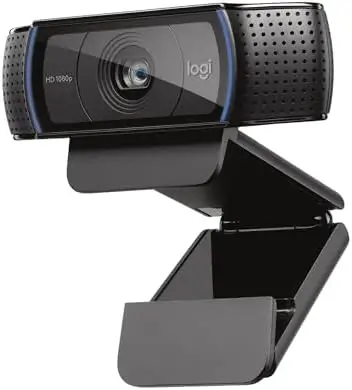
The Logitech C920x HD Pro Webcam is a versatile Full HD webcam designed to improve video communication, content creation, and everyday computer use. With 1080p video at 30 frames per second, automatic light correction, autofocus, dual stereo microphones, and broad compatibility across modern platforms, it provides a practical way to upgrade the camera experience on a desktop computer, laptop, or compatible device.
A built-in webcam may be sufficient for occasional video calls, but anyone who regularly attends virtual meetings, records content, streams, or communicates through video can benefit from a dedicated camera. The C920x HD Pro is designed around that idea, combining reliable image quality with features that help make video calls and recordings look and sound more polished.
Its compatibility with popular video-conferencing platforms and newer devices, including Nintendo Switch 2’s GameChat mode, adds even more flexibility.
Full HD 1080p Video at 30 FPS
The centerpiece of the Logitech C920x is its Full HD 1080p video capability.
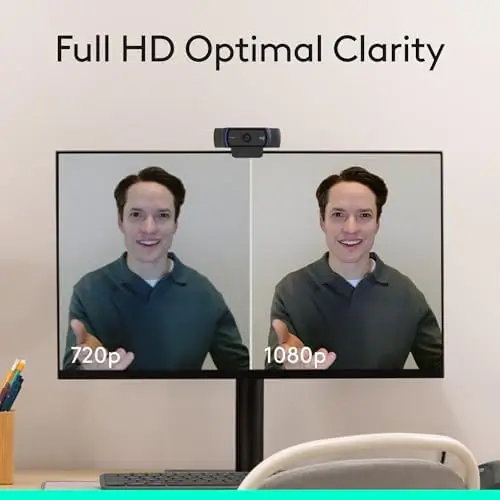
The webcam can capture and record video at 1080p resolution at 30 frames per second, providing a detailed and smooth image that is well suited to video calls, online meetings, recordings, and streaming.
Compared with lower-resolution webcams, Full HD provides more visual detail, helping faces, clothing, backgrounds, and other elements appear clearer on screen. This can make a noticeable difference when communicating professionally or creating video content where image quality matters.
The 30fps frame rate also provides natural motion for everyday video communication. Whether you are speaking during a virtual meeting, presenting information, recording a tutorial, or interacting with viewers, the camera is designed to deliver a consistent video experience.
The result is a webcam that can comfortably serve multiple roles rather than being limited to occasional video calls.
Automatic Light Correction
Lighting can be one of the biggest challenges when using a webcam.
A room may have uneven lighting, a bright window behind the user, or insufficient illumination during evening calls. These conditions can cause faces to appear too dark, washed out, or lacking in detail.
The C920x addresses this with automatic HD lighting adjustment. The webcam can fine-tune the image to compensate for changing lighting conditions, helping produce a brighter and clearer picture even when the surrounding environment is not ideal.
This is particularly useful for users who do not have a dedicated studio lighting setup.
View on Amazon
Instead of spending time manually adjusting camera settings every time the room changes, automatic light correction helps the webcam adapt to the environment. This makes it a practical choice for home offices, bedrooms, shared workspaces, and other locations where lighting conditions are not always perfectly controlled.
For video conferencing, this can help maintain a more professional appearance throughout a meeting.
Autofocus for Clearer Video

The Logitech C920x also features autofocus, another useful capability for video calls and content creation.
Autofocus helps keep the subject clear when the distance between the camera and user changes. This is helpful for people who occasionally lean toward the camera, move around while speaking, or hold objects up during demonstrations.
For creators, autofocus can also be useful when recording tutorials, presentations, product demonstrations, or other content where maintaining a clear subject is important.
Combined with Full HD resolution and automatic light adjustment, the autofocus system contributes to a more polished image without requiring extensive manual camera management.
This simplicity is one of the webcam’s strengths. Users can connect the camera and focus on their conversation or content instead of constantly adjusting technical settings.
Dual Stereo Microphones for Natural Audio
Good video quality is only part of a successful video call. Clear audio is equally important.
The C920x features dual stereo microphones designed to capture natural-sounding audio during calls and recordings.
Using two microphones helps the webcam capture sound in a way that can feel more natural than the basic microphone found on many computers. This can be useful for meetings, casual conversations, recorded presentations, online classes, and other situations where the camera’s built-in audio system is convenient.
For users who do not already own a dedicated external microphone, having stereo microphones built into the webcam simplifies the setup. There is no need to add another peripheral simply to participate in a video call.
While dedicated microphones can still provide advantages for professional audio production, the integrated stereo microphone system makes the C920x a practical all-in-one solution for everyday communication and recording.
A Useful Camera for Remote Work
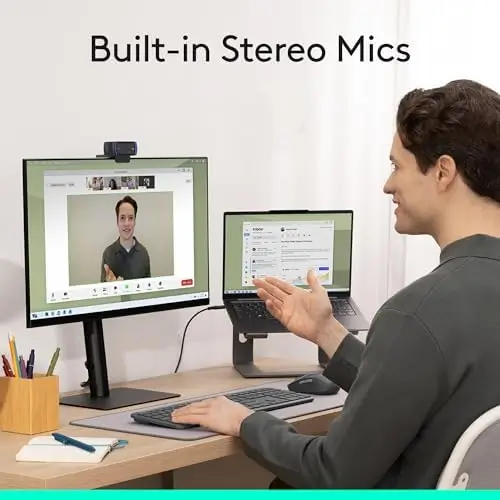
The C920x is particularly well suited to modern remote and hybrid work environments.
Virtual meetings have become a routine part of professional communication, and a dedicated webcam can provide a more consistent experience than relying on an integrated laptop camera.
The 1080p resolution helps maintain a clear image, while autofocus and automatic lighting adjustment reduce the amount of manual preparation needed before a meeting.
The webcam is also designed to work with popular video conferencing platforms such as Microsoft Teams, Google Meet, and Zoom.
This broad software compatibility means users can incorporate the C920x into their existing workflow without needing a specialized application.
For professionals who regularly participate in virtual meetings, interviews, presentations, or online training sessions, the C920x provides a straightforward way to improve the visual side of communication.
Useful for Streaming and Content Creation
The C920x can also function as a capable entry point for streaming and video creation.
Full HD 1080p video at 30fps provides a suitable format for many types of online content, while automatic light correction and autofocus help reduce the need for complicated camera adjustments.
This can be particularly useful for creators who want a simple desktop webcam for streaming, tutorials, commentary, demonstrations, or social video.
The camera’s compatibility with advanced capture software further expands its usefulness. Users can create and share video content through supported software tools while maintaining a relatively simple hardware setup.
For someone starting a streaming setup, this can be an attractive approach because the webcam combines video capture and audio recording in one compact device.
Background Replacement Without a Green Screen

The C920x includes a three-month XSplit VCam license, which provides an additional tool for users who want more control over their video background.
XSplit VCam can remove, replace, or blur the background without requiring a physical green screen.
This feature can be particularly useful for remote workers and streamers who want a cleaner visual environment during calls or broadcasts.
Background replacement can help hide a cluttered room, while background blur can keep attention focused on the speaker. Replacing the background can also provide a more branded or professional appearance for certain types of content.
The fact that these effects can be achieved without setting up a traditional green screen makes them convenient for people working from home or using a compact desk setup.
The included license adds an extra software dimension to the camera beyond its basic hardware capabilities.
Nintendo Switch 2 GameChat Compatibility
One of the more notable aspects of the current C920x specification is its compatibility with Nintendo Switch 2’s new GameChat mode.
This expands the webcam’s potential use beyond conventional computers and video conferencing.
For users who already own the webcam and want to use it with compatible gaming hardware, the ability to support GameChat provides another reason to keep the camera as part of a broader entertainment setup.
It also demonstrates the versatility of a dedicated webcam in modern households. A single camera can potentially serve different purposes, from professional meetings and online classes to streaming and gaming communication.
Compatibility With Modern Computers

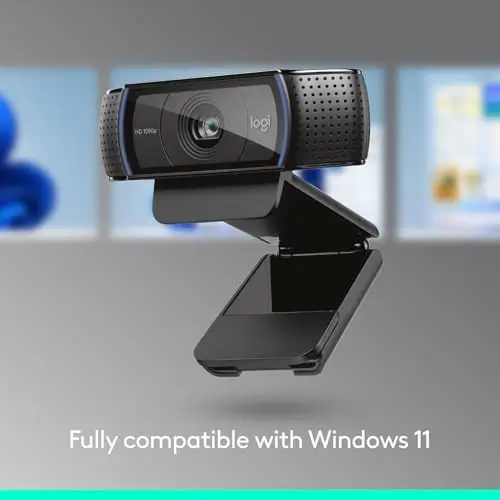
The C920x is designed to work with Windows and Mac systems, while the provided specifications specifically confirm full compatibility with Windows 11.
Its broad compatibility makes it a practical choice for users who may change computers or work across different platforms.
The webcam can be used as a desktop computer camera or monitor-mounted webcam, allowing users to position it where it works best with their setup.
For laptop users, it can provide an alternative to the built-in camera, particularly when the computer is connected to an external monitor or positioned in a way that makes the integrated camera inconvenient.
Advanced Capture Software
The C920x also supports advanced capture software for creating and sharing video content.
This makes the webcam useful beyond live communication. Users can record presentations, tutorials, demonstrations, lessons, social videos, or other content and then organize and share their recordings.
Having access to software designed around the webcam can simplify the transition from simply making video calls to producing more structured content.
For beginners, this can be helpful because it provides a more approachable way to start experimenting with video creation without immediately investing in a complex camera system.
Final Verdict
The Logitech C920x HD Pro Webcam is a versatile Full HD camera that delivers a strong combination of image quality, audio capability, automatic adjustments, and broad compatibility.
Its 1080p video at 30fps provides detailed footage for video calls, streaming, and recording, while autofocus helps keep the image sharp as you move. Automatic HD lighting adjustment is particularly useful for people who work in environments where lighting conditions are not always consistent.
The dual stereo microphones make the webcam a convenient all-in-one communication solution, capturing natural-sounding audio without requiring a separate microphone for everyday calls.
Its compatibility with platforms such as Microsoft Teams, Google Meet, and Zoom makes it well suited to professional and educational environments, while support for Nintendo Switch 2’s GameChat mode gives it an additional use for gaming communication.
The included three-month XSplit VCam license is another useful bonus for creators and remote workers who want to remove, replace, or blur their backgrounds without a physical green screen.
Overall, the Logitech C920x HD Pro is an excellent choice for users looking for a dependable Full HD webcam that can handle multiple roles. From remote meetings and online classes to streaming, content creation, and gaming communication, its combination of 1080p video, autofocus, automatic light correction, stereo audio, and wide compatibility makes it a practical and flexible addition to a modern desk setup.